This past week, I went to Velocity and DevOps Days in Silicon Valley, CA. Both conferences were amazing and I learned a ton. During DevOps Days I led an Open Space session on “Encouraging Women in Dev/Ops”. I was humbled by the number of people who attended and their passion for the topic. Read on for a summary of my notes taken during the hour we had.
Ruby Fundamentals: Using Custom Setters to Clean Up Instance Variables
Ohai Fellow Rubyists!
This week we’re going to look at using custom setter methods in your Ruby class initializers to do any custom logic before setting instance variables. I just had to do this last week for a gem I’m writing. Here’s a quick snippet. Read on for the full explanation.
1 2 3 4 5 6 7 8 9 10 11 12 13 14 15 16 17 18 19 20 21 22 23 24 25 |
|
How to Present at a Tech Conference
Ohai Chefs!
This week I’ll share my tips and tricks for presenting at a tech conference, based on my vast experience of one conference. So, take it with several grains of salt.
Will You Join Us?
Ohai Chefs!
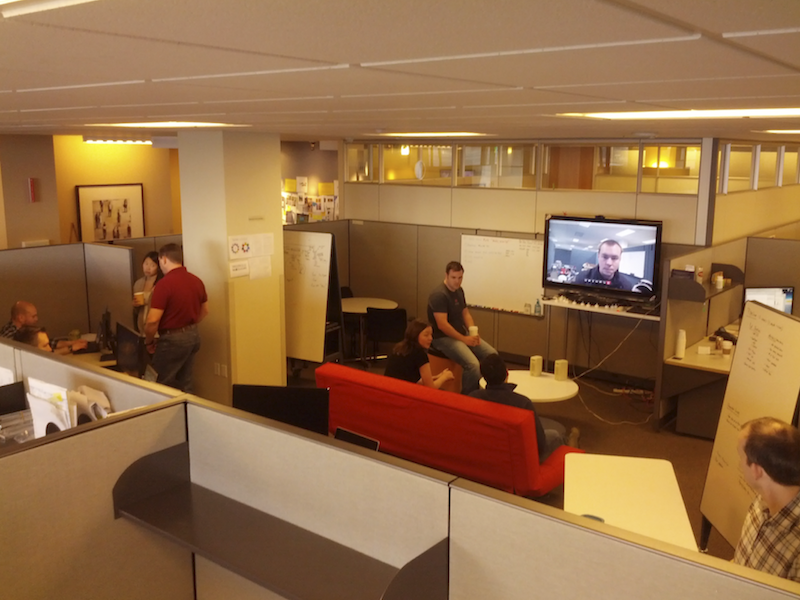
This week, the week before Chef Conf, I’d like to talk a bit about our team and our culture, and invite you to join us.
tl;dr
We have a spot on our Infrastructure Engineering team, and I hope you’ll read on to get a personal feel for our team and the huge cultural shift happening right now at Nordstrom.
If you are interested, please email me: doug.ireton at nordstrom.com
Favorites From the Treasure Chest
Ohai Chefs!
Work has been busy and I’ve been working on my presentation in my “free” time, so this week I’m rounding up some links I think you’ll like.
-
Last check-in time for nodes by Josh Timberman. Nice short post with great explanations.
-
How the Chef client builds the Resource Collection queue by Eric Hollensbe. I have a much better understanding of how a Chef run actually works after reading this.
-
Good overview of Chef testing by Nathen Harvey.
-
Also see Joshua Timberman’s Anatomy of a Test Kitchen 1.0 Cookbook for more testing goodness.
Chef Wanted. Apply Within
Ohai Chefs!
This week, we’ll take a look at , a command-line tool, new to Chef 11, which assists with rapid development and troubleshooting by letting you run a single recipe at a time.
Ruby -p -i -e
This week we’ll look at a practical example of combining a simple shell script with a Ruby one-liner to set and unset environment variables.
At work, we have to go through a proxy server to get to the Internet. To use git, curl, etc. I have to set my http(s)_proxy environment varables. At home I have to unset them since I don’t have a proxy at home. Editing my .zshenv twice a day got pretty tedious so I decided to script it.
At first I tried using sed but after trying for an hour to understand how to write a simple sed script, I opted for Ruby. As it turns out, Ruby has very good support for line-editing and substitution.
A knife.rb for Our Time
Ohai Chefs!
The basic knife.rb you get from the Chef server works, but it’s not suitable to check into version control or share with your team. It has the name of your .pem file hardcoded into it and isn’t flexible enough for team use. This week we’ll look at a generic, flexible knife.rb you can keep in your chef-repo and share with your team.
Flip Your Unicorn!
Let’s say you had a unicorn in your code. Maybe something like this:
                                           ________
                                        .##@@&&&@@##.
     \                               ,##@&::%&&%%::&@##.
     ^\^                            #@&:%%000000000%%:&@#
     /.(((                        #@&:%00'         '00%:&@#
    (,/"(((__,--.                #@&:%0'             '0%:&@#
        \  ) _( /{              #@&:%0                 0%:&@#
        !|| " :||              #@&:%0                   0%:&@#
        !||   :||              #@&:%0                   0%:&@#
        '''   '''              "" ' "                   " ' ""
But it’s so wrong!
Clearly, something is wrong with the unicorn. It’s not facing the rainbow. This week, we’ll learn how to flip the unicorn (or any other text) with an awesome Vim Visual mode mapping courtesy of the inimitable Dr. Chip
Send Application Deploy Times to StatsD in a Chef Recipe
Ohai Chefs!
This week, I’ll show you how to time application deploys (or anything else) inside a Chef recipe and send metrics to StatsD.
At work, we’re working to integrate metrics into more and more aspects of our development pipeline. We are already sending Chef run data to Graphite and Chef client version metrics to StatsD/Graphite. This past week, I worked on timing our application deploys via the Statsd-Ruby library inside a Chef recipe. Read on to see how easy it is.